Animation is here!
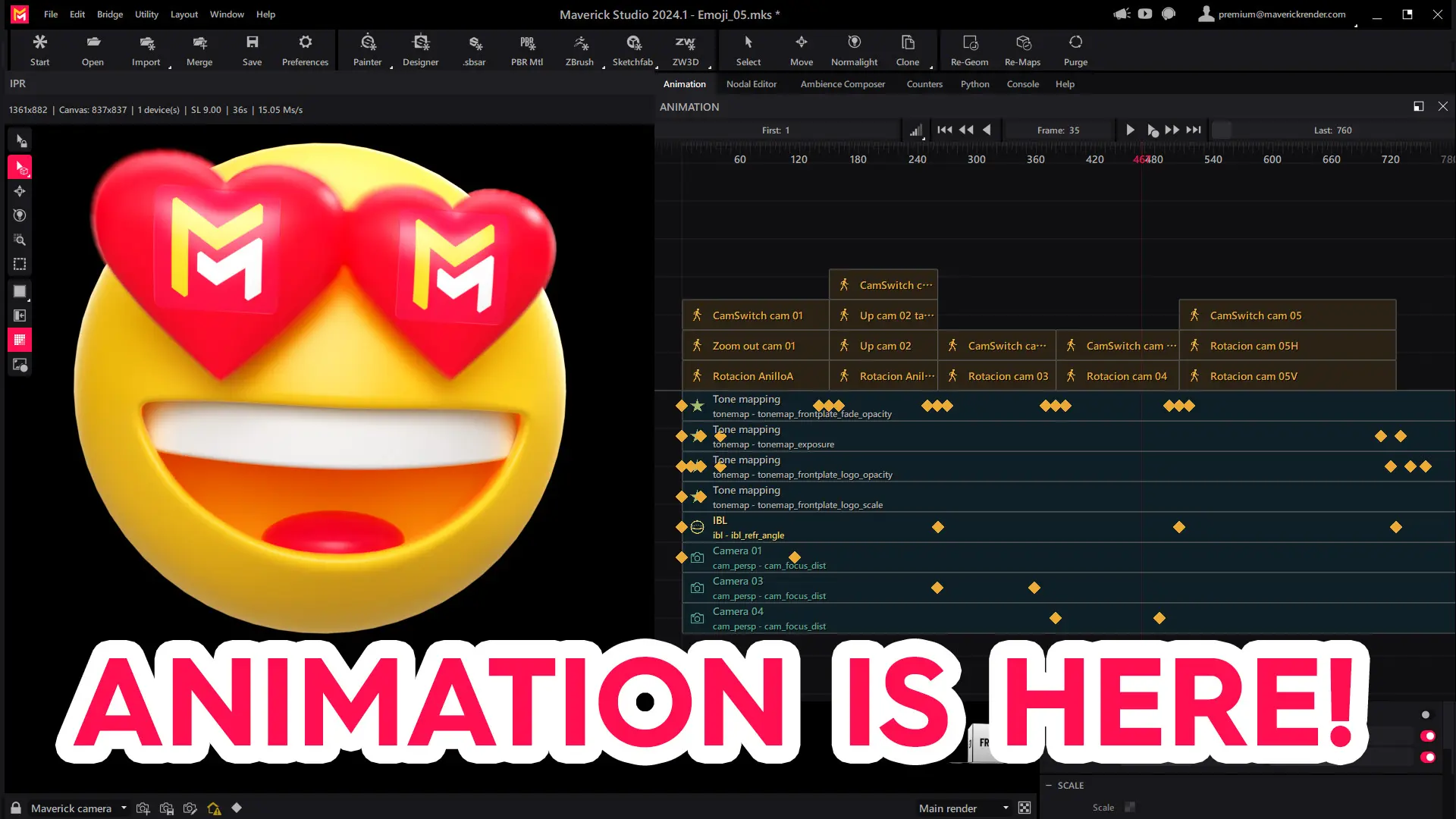
Whew! We're BACK to bring before you the long-awaited...
ANIMATION RELEASE!!!
This release is the culmination of a very long journey. One where we did undertake the task to expand the Maverick Core and the Studio UI from the ground up to make every single entity at play become time-aware. The journey has been way longer and tougher than initially expected. But, oh well! We're a small team after all.
Our main guidelines for animation support in Maverick have been the following:
- We have made a conscious effort to aim at making everything animatable. By everything we mean ranging from object/camera positions to virtually all attributes in lights, materials, maps, the IBL/sky. That is, nearly every numerical attribute in every node class.
- We have kept the focus in our knowledge of our customer base. Most of our users do product viz, jewelry, appliance design, ... And the typical target usage is short-form marketing-oriented visualization of a main subject. We felt compelled to provide users with something less crude than raw object/camera keyframing. So we ended up building our much more friendly Motion Controller (a.k.a., moc) system, as illustrated in the video tutorials below.
- Along the same lines, our customers need to get the job done fast without much technical hassle, and possibly without involving external apps. We have made a conscious effort to include features that allow the creation of short ad-like clips without needing to resort to external video-editing software. Some of the showcase videos below illustrate this.
Note that we are still to this day working hard on animation, and some of the features you will find in this release will be extended or improved in soon-to-come update releases. We also have some related sub-features up our sleeves that will be likewise unveiled soon (such as programming nodes for procedural motion).

Showcases
Below you will find some examples created in Maverick Studio 2024.1 using (mostly) Motion Controllers, plus some keyframed attributes here and there.
Fujifilm lens
This example has been configured using exclusively transform Motion Controller nodes, and an explode Motion Controller. The explode moc can be used for the classic "parts disassembly" animation as seen below.
Energy drinks
Configurable camera and object sub-keying, juicy motion blur, and camera shutter aperture are some of the new features that Maverick Render now effortlessly manages.
Lasers
Animation works well with every single other featuresin the Maverick Toolbox. Such as stickers and glare/bloom as seen here.
Cosmetics
In this example, attribute keyframing is used to animate the transitions between materials. Alongside, Motion Controllers define and time the spin.
DJI drone
This example showcases the cam_switch Motion Controller. With this node you can define multiple viewpoints along the timeline, effectively splicing multiple animations into a single one. This way you can create longer, richer videos without resorting to an external video-editing app.
Rings
This video also showcases the cam_switch Motion Controller to splice together different motion clips in a single timeline. The frontplate feature is also used to composite in the logo and create fade in-out effects. Again, without needing to resort to an external video-editing app. Everything is done in a single Maverick Studio project/timeline.
Video tutorials
As usual in our releases, this one is accompanied by a series of videos that will be released during December, which starts with these two below.
Here's a video covering basic usage of the new Motion Controller nodes and the animation panel, showcasing simple animation for objects.
This other video does the same, but for cameras.
But wait. There's more!
Along this nearly 2-year journey, we have worked real hard to improve performance and memory requirements at the Core level. We hope that you will appreciate from the moment that you start Maverick 2024.1 that the Maverick IPR is noticeably smoother.
A less evident improvement at first sight, is the considerable effort that we've made to optimize memory usage and edit lag in medium-to-large-size scenes.
Please take a look at the changelog for a full list of improvements.
--
It is no coincidence that this release coincides with BLACK FRIDAY. We have a 25 OFF coupon (BF2024) for those of you who wish to buy any of our products. The promotion will last until the 15th of December.
And Last but not least, we would like to thank our customers, as always, for their continued support.
Thanks for watching!