Maverick Render 2026.3 - Up to 4x times faster thanks to DLSS
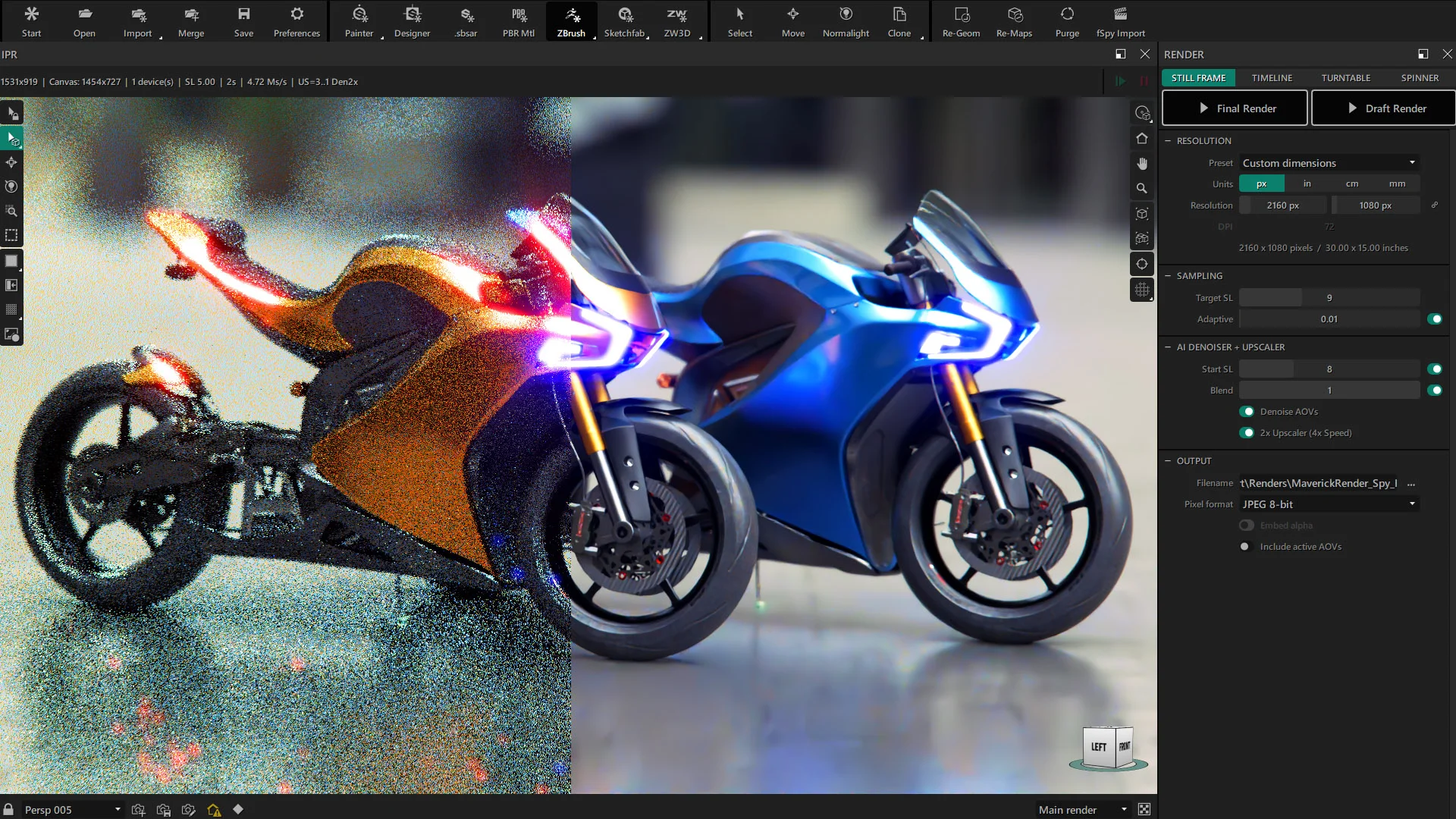
Blistering speeds with OptiX 9.1 and the new DEN2X denoiser
In the new Maverick Render 2026.3 update we have completed the migration to OptiX 9.1. Alongside this core upgrade, we have completely updated our denoising pipeline by integrating the brand-new OptiX DEN2X model, which combines AI denoising with a 2x upscaling feature.
By leveraging advanced neural networks and NVIDIA's Tensor Cores, the DEN2X model does not just guess missing pixels. It intelligently reconstructs them, offering a massive leap in both workflow fluidity and final output generation. This belongs to the same family of AI upscaling technologies that has taken the video-game world by storm in recent times.
A fluid, lightning-fast IPR experience
One of the most noticeable benefits of the new DEN2X model is how it transforms your Interactive Preview Render (IPR). Navigation in the viewport is now incredibly smooth, and the distracting render noise vanishes in mere milliseconds.
Watch the example video below and pay special attention to the moments when viewport navigation stops. You will immediately notice how much faster the new denoiser cleans up the image compared to the previous denoising model.
The first 10 seconds show the classic denoiser at work. The rest of the video uses DEN2X. Note that this video was recorded on an RTX 2080 (a fairly old and slow GPU by today's standards).
Final renders up to 4X faster
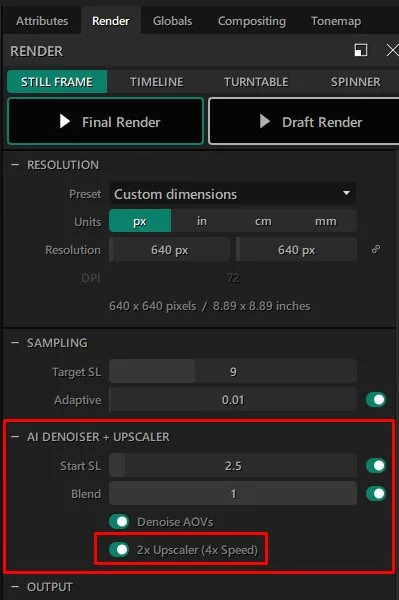
The combination of denoising and upscaling does not just improve your viewport, it radically accelerates your final output. Because the engine is effectively rendering at a lower base resolution and intelligently upscaling the result to your target size, you can achieve render times up to 4 times faster while keeping the same final resolution.
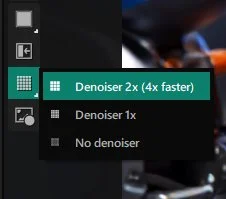
You will find the new options in the Render panel, under the Denoiser rollup.
And here are three comparison examples showcasing the time savings and the visual fidelity of the new DEN2X model:
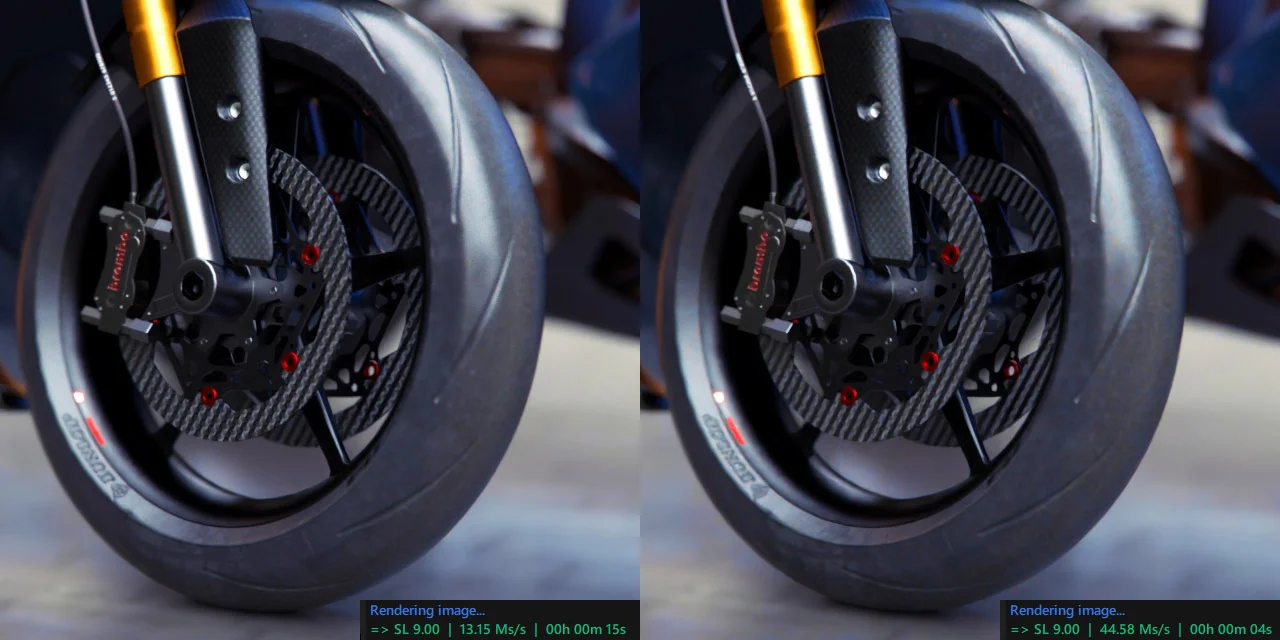
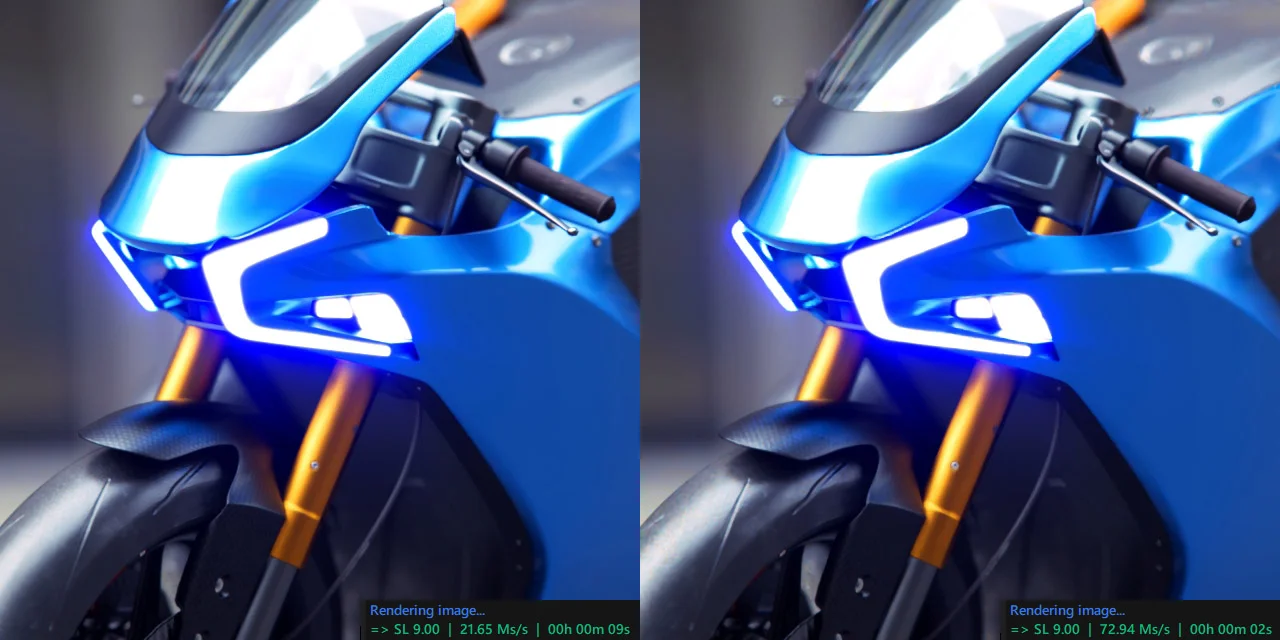
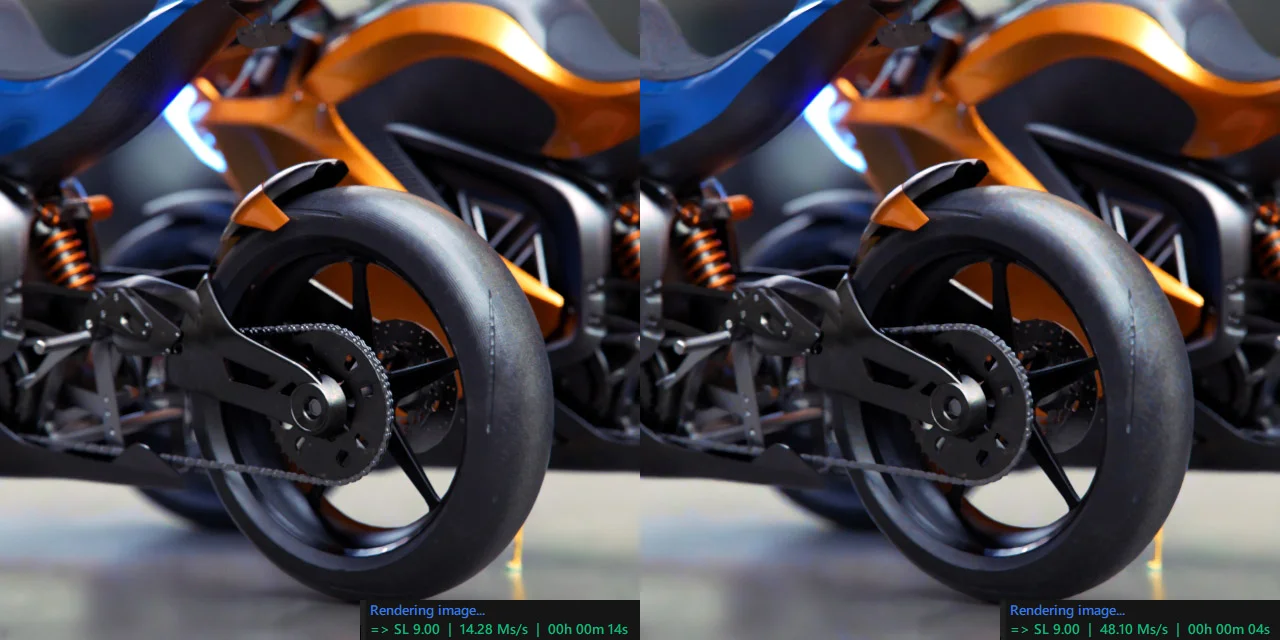
PRO TIP: While the DEN2X model works exceptionally well for the vast majority of scenes, it can be quite aggressive. We recommend disabling this denoiser when working with intricate micro-details, such as small legible texts or precise bump textures. For standard scenes without these hyper-specific intricacies, it is an absolute game-changer.
Lighter, better spinners and workflow improvements
Beyond rendering speeds, we have also heavily optimized our web presentation spinners:
- .webp support for spinners: We have switched the default export format for spinner atlases to
.webp. This drastically reduces file sizes, making them much lighter and perfectly optimized for fast web loading. - Simplified integration: We have made aesthetic improvements to the web viewer and significantly simplified the underlying code. Including a Maverick spinner on your website is now an effortless process, largely thanks to our integration with our CDN.
Finally, as always, this release includes multiple under-the-hood bug fixes. We have paid special attention to resolving issues related to the Undo command, ensuring a much more stable and reliable creative process.