2025.1 Release
Dear Maverick users,
We just released version 2025.1 with a bunch of upgrades and new features.
Let's dive right into a summary:
Extended animation features
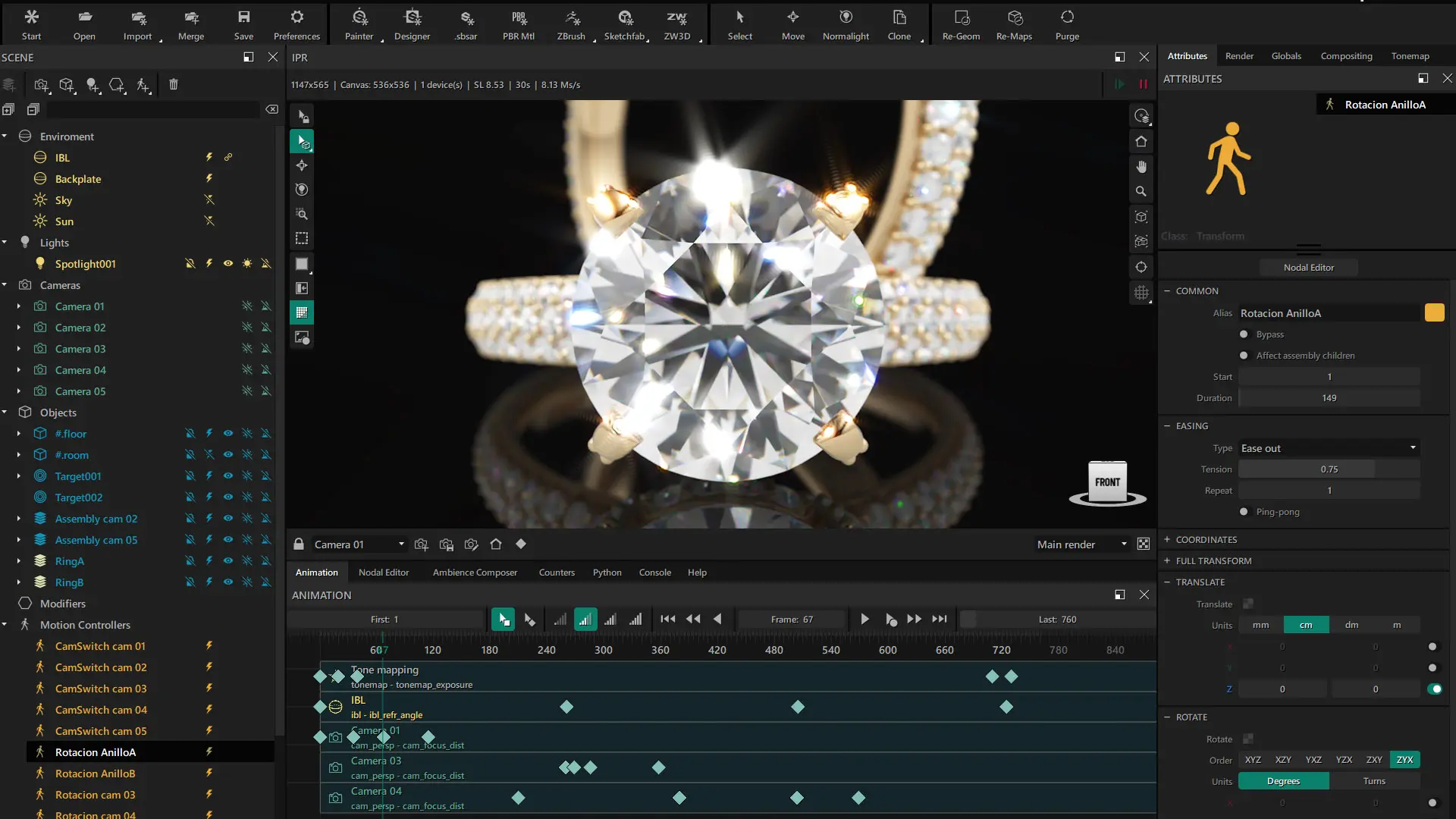
We have continued improving the animation side of Maverick. In particular:
- Keyframes now support easing modes.
- Ability to clone keys in the timeline with Shift+Drag.
- Added support for deforming meshes (via import).
- (Most) timeline operations with Motion Controllers and keyframes support undo/redo.
Extended localization (languages)
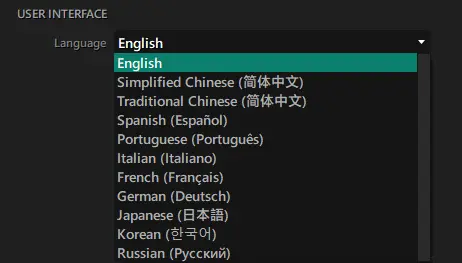
We have added support for 11 full language translations:
- English (default).
- Simplified Chinese.
- Traditional Chinese.
- Spanish.
- Italian.
- French.
- German.
- Russian.
- Japanese.
- Korean.
These had been a recurring request since the birth of Maverick. Hope these help.
Improved importers (USD, GLB, ... with xform/dform)
We have worked hard to improve our data importers and provide support for:
- Full xform (rigid body) animation.
- Full dform (deforming body, skeletal meshes, skinning, ...) animation.
We have also added support for embedded textures un USD/GLB and greatly improved our support for USD.
As a matter of fact, we from now on regard USD as the preferred file format to bring non-CAD data to Maverick. For CAD data, of course 3DM (Rhino) or STEP are the right choice.
Importing 3D data from the Internet is often a mess (broken geometry, animation or materials not interpreted correctly, ...). But the success rate we achieve USD, which is a format with a very strong normalization effort behind it, we find quite satisfactory.
Revamped gizmo in the Move tool
We have modernized the visuals and cleaned-up the underlying mechanics of the Move tool and its gizmo in the IPR. The UI is an area of the software under constant review based on user feedback, and we believe that in this new release we have squashed some long-standing bugs and added some visual polish.
We have made some matching general adjustments in the UI as well.
Revamped "Reset Xform"
All features in the Move tool panel, but in particular "Reset Xform" have received the same degree of attention. Some edge cases have been sorted out and some long-standing inconveniences are no more.
Support for RTX 50 Series GPUs
With the release of the new generation of NVIDIA GPUs a rebuild of the software became necessary to support the new hardware architecture. 2025.1 extends support towards 50XX cards, which are now fully supported. Enjoy if you are the proud owner of one of those puppies.
We recently released a new version of the Maverick Benchmark as well, built with CUDA v12.8 and OptiX 9.0.0.
New tutorials
As important as the release itself is the educational content we lovingly craft with each new release.
Jewelry animation and lighting
These two videos are gold (no pun intended). We frequently receive requests asking us for more documentation on jewelry workflows. So here you have a very self-contained example that brings a piece of jewelry from Rhino to a very professional-looking video advertisement.
Documentation page
https://docs.maverickrender.com/
We have initiated a (currently WIP) website where we will maintain the official product documentation for Maverick Render (Studio & Indie).
The site keeps track of the documentation for each node and attribute in our render engine. We will keep populating the docs with visual examples as time allows for it. There is also a section where we will keep transcripts of our YouTube video-tutorials for reference both for our users and for web crawlers such as search engines.
So that will be, from now on, our Knowledge Database.
--
As always, thanks for watching!